
Today
- The patrol inspection stays in a book.
- The incident never reaches the next shift.
- The gate and a radio call are two records.
Industries · Security
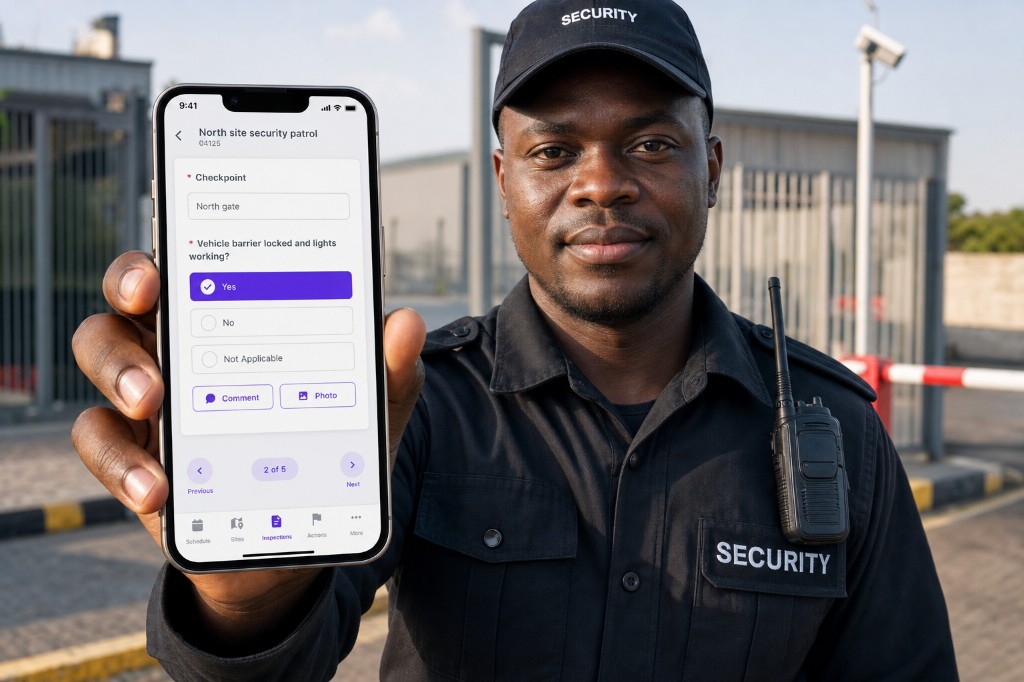
AuditDAT is security patrol software. Officers inspect on a phone, incidents become job cards, and a gate QR lets someone report a concern with no login.
Inspect the post on a phone. Follow-ups become job cards for the next shift. A QR at the gate lets someone report a concern. No officer login is needed.
The problem
How it is used
Officers patrol and check CCTV on a phone. Incidents become job cards. Access logs and visitor reports sit on the same list.
On patrol
Patrol checkpoints run on the phone, including with no signal. A missed point is on the report, with a photo if they took one.
At the post
Camera, alarm and key checks are inspections on the same phone. A failed camera becomes a job card for the next shift or the vendor.
At access
Gate and visitor checks sit on the phone. Photos and times stay on the record. The control room can see the same log.
At handover
Record what happened, who is acting, and photos. Supervisors assign follow-up. Radio reports can be added as job cards. The next shift sees what is still open.
At the gate
A QR at reception, the vehicle gate or muster opens a short form. No officer login. Control room sees it with the rest of the shift list.
What officers complete on the phone:
Download samples from the checklist library. Then send five of yours. We put them in AuditDAT for the demo.
FAQ
AuditDAT records security patrols and incidents on a phone, including with no internet. An incident becomes a job card for the next shift. A gate QR lets staff or visitors report a concern with no officer login.
Yes. Mobile patrols and inspections, including with no internet, with photos, notes and signatures.
AuditDAT records the inspection and incident work. Workforce clock-in and payroll sit in TimeDAT if you need them. We can map that on the demo.
Yes. A guest, tenant, contractor or worker scans a QR code, reports the issue, and can track it. No app needed.
Yes. Actions are job cards. Create them from a failed check, add them yourself, or get them from a QR report. They stay open until someone closes them.
Free with your demo
Send five inspection forms your team uses today: PDF, Excel, Word or a photo of paper. We put them in AuditDAT and show you the product on your process.
Bring your forms as PDF · Word · Excel · photo of paper

Included when you book a demo. No extra fees.

1 You send paper or Excel forms
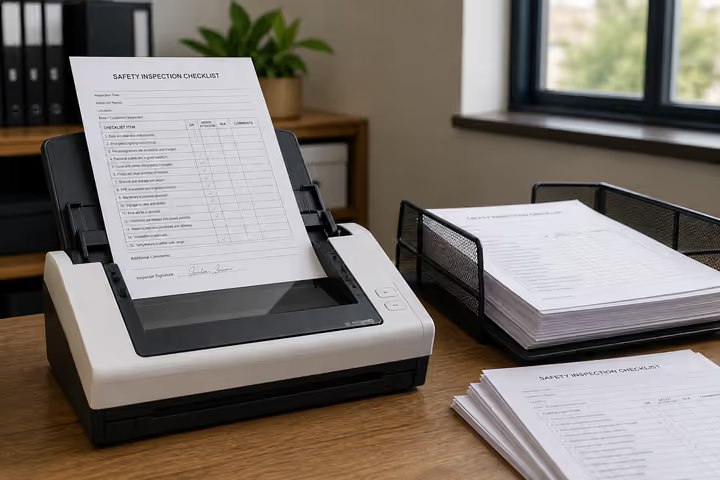
2 We convert them into AuditDAT

3 Your demo uses your inspections
Other industries
The checklists change. Inspect, act and report stay the same.

Site checks on a phone. Hazards become job cards. Workers report near misses from a board QR.

Check the line on a phone. Fails become job cards. Operators report faults from a QR.

Inspect pits and camps with no signal. Job cards for crews. Workers report hazards from a QR.

Permits and LOTO on a phone. Fails become job cards. Visitors report from a gate QR.

Housekeeping inspects. Maintenance gets the job card. Guests report from a room QR.

Inspect on a phone. Contractors get job cards. People in the building report from a floor QR.
Almost there
Enter your work email and we’ll keep this ready for your demo.
Before you go
Send five inspection forms your team uses today: PDF, Excel, Word or a photo of paper. We put them in AuditDAT and show you the product on your process.